
Plugin Settings
All Gyta Buyback plugin settings explained.
Overview#
Navigate to Gyta Buyback in your WordPress admin. Every setting lives under one of nine tabs.

| Tab | What it controls |
|---|---|
| Checkout | Store mode, button labels, device details, quiz pricing, quote lock, Net options, VAT margin scheme |
| Design | Customer-facing style template and accent colour |
| Address | Your mailing address — the “ship to” on every prepaid label |
| EasyPost | API key, webhooks, carrier service, kits, QR drop-off, insurance |
| Email copy, abandoned-quote and kit-reminder emails, Twilio SMS | |
| Batch Labels | Buy labels in bulk and print carrier scan forms |
| Import | Bulk-create priced buyback products from a CSV catalog |
| Payouts | PayPal and Wise credentials, automatic payout behaviour |
| Reports | Resale and margin reporting on completed trade-ins |
Checkout Tab#
The busiest tab, and where store mode lives. Settings that only apply to one flow are tagged with that flow, and only the selected mode’s settings are shown.
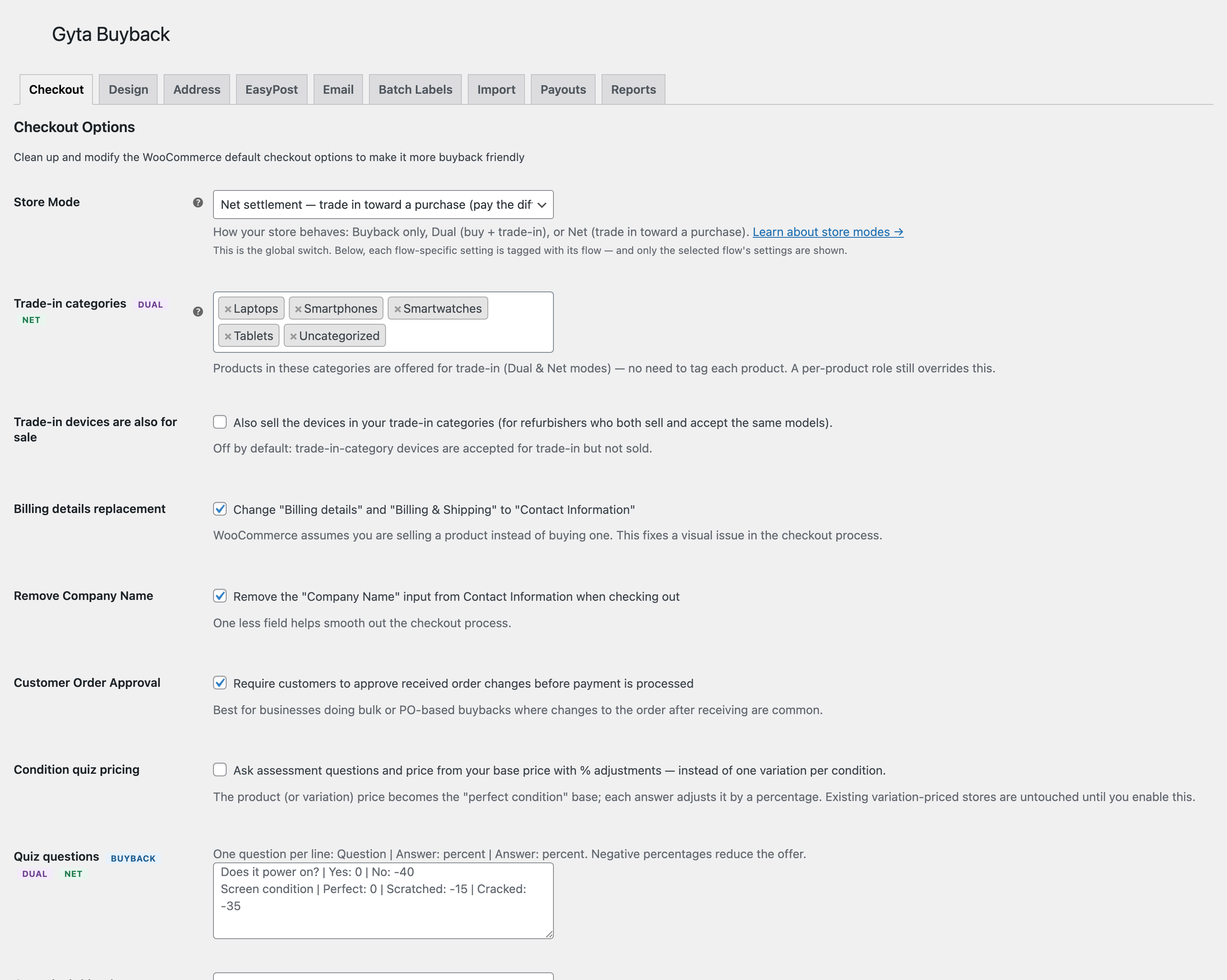
- Store Mode — Buyback only, Dual, or Net. Dual and Net are PRO.
- Buyback / Trade-in button labels — the add-to-cart and place-order wording customers see.
- Billing details replacement — renames “Billing details” to “Contact Information”, since the customer is selling, not buying.
- Customer Order Approval — require the customer to approve a revised offer before payment. This is what enables the re-quote panel on the order screen.
- Collect trade-in device details PRO — per-item condition, IMEI/serial and notes, collected at checkout or on the product page.
- Condition quiz pricing PRO — ask a short set of questions and quote from the answers. See Condition Quiz.
- Quote lock (days) PRO — how long a quoted price is honoured. See Quote Expiry.
- Store credit bonus (%) PRO — pay extra when the customer takes store credit instead of cash.
- Net options PRO — return-label handling, days to return, where the trade-in selector appears, what happens when the trade-in exceeds the cart total, and how a higher inspection grade is reconciled.
- VAT margin scheme PRO — for EU resellers: flag categories sold under the margin scheme and set the note printed on the invoice.
- Variable Product Fields — hide WooCommerce variation fields you never use on buyback products (SKU, stock status, description).
Design Tab#
- Style template — the look of the customer-facing panels (card, plain, and so on).
- Accent color — the highlight colour used across trade-in UI.
Address Tab#
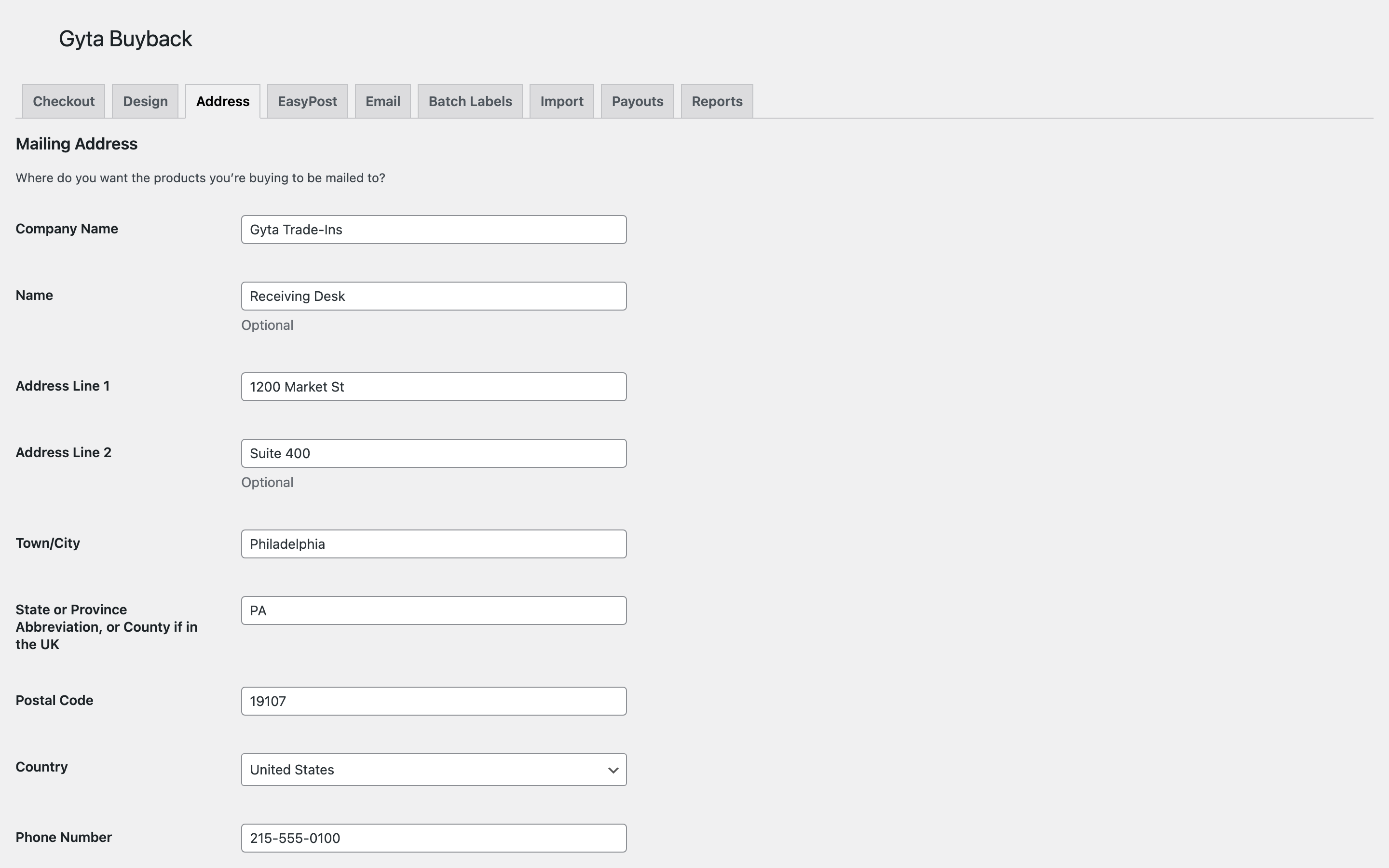
Your company return address. This is the ship-to address on every prepaid label, so an incomplete address here means labels that will not buy.
EasyPost Tab#
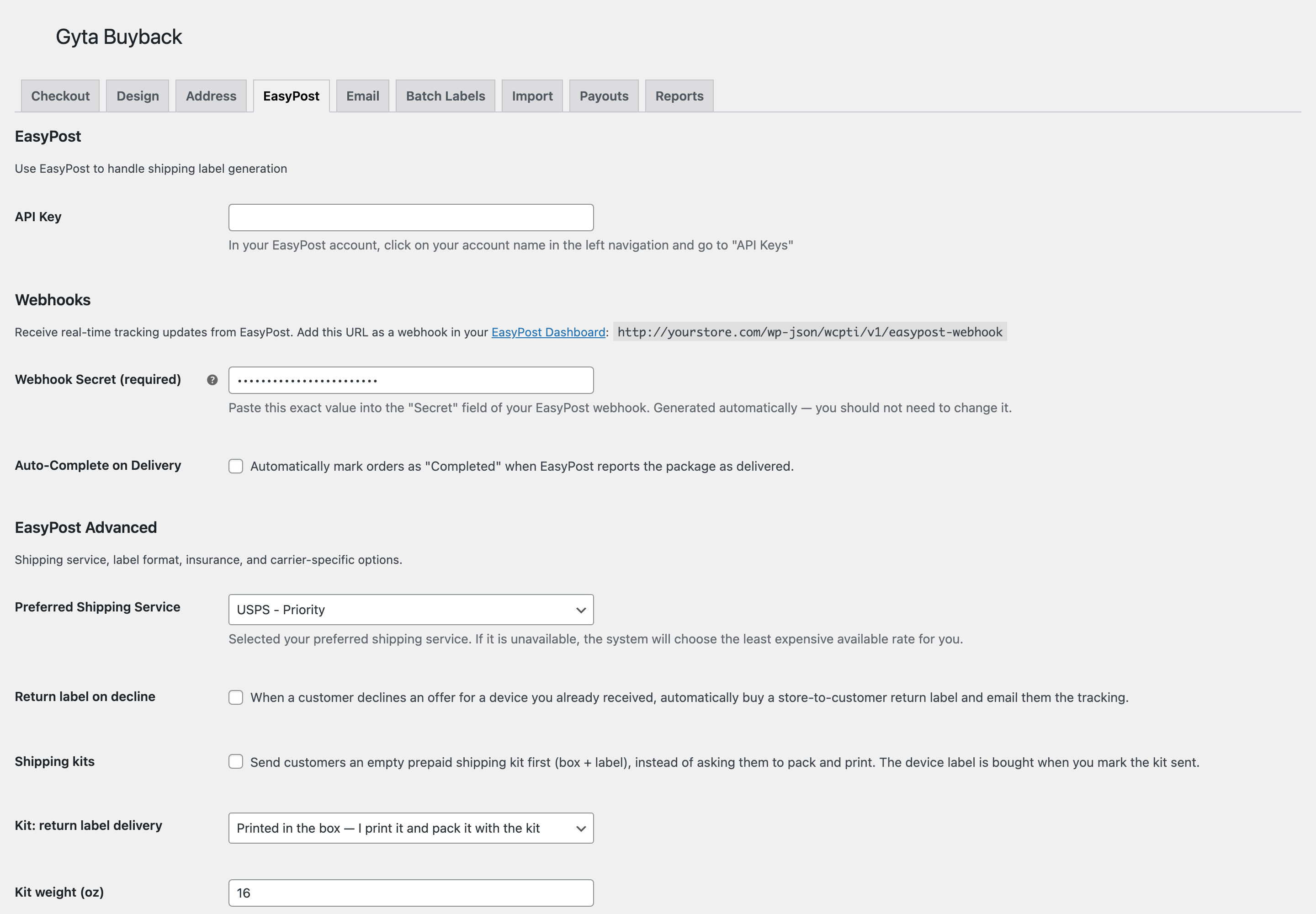
- API Key — your EasyPost key. Test keys start with
EZTKand are never billed. - Webhook URL and Secret — paste both into EasyPost so delivery events reach your store. See Webhooks.
- Auto-Complete on Delivery — mark an order Completed when the carrier reports delivery.
- Preferred Shipping Service — your default carrier and service level; the cheapest available rate is used if it is unavailable.
- Return label on decline PRO — buy a store-to-customer return label automatically when an offer is declined.
- Shipping kits PRO — send an empty prepaid box first instead of asking the customer to pack and print. See Shipping Kits.
- QR drop-off codes PRO — a scannable code so the customer can drop off without printing. Requires a USPS-class service. See QR Drop-off.
- Label Format — PNG, PDF, ZPL, or EPL2 — plus address validation, Royal Mail package size, and insurance options.
Email Tab#
- Local Drop Off Instructions and Order Completed — the copy inserted into those customer emails.
- Abandoned-quote email PRO — follow up when a customer gets a quote and does not finish, after a delay you set.
- Kit reminder after (days) PRO — nudge a customer who has a kit but has not posted it back.
- Twilio SMS PRO — account SID, auth token and from-number, plus which events text the customer: label/kit ready, device received, payment sent.
Batch Labels Tab#
View orders needing labels, buy labels in bulk, and generate scan forms for carrier pickup. See Batch Labels.
Batch labels and scan forms are PRO, including the Create Gyta labels bulk action on the WooCommerce Orders screen. Buying a single prepaid label per order is free on every plan.
Import Tab#
Bulk-create priced buyback products from a CSV catalog instead of building each variable product by hand. See Catalog Import.
Payouts Tab#
- PayPal Payouts PRO — client ID, secret, and a sandbox toggle.
- Wise PRO — API token, profile ID, and a sandbox toggle.
- Send automatically on completion PRO — pay the customer when the order completes.
- Complete order when paid PRO — the reverse: close the order once the payout succeeds.
PayPal and Wise are the two methods that pay out automatically. The other trade-in payment methods — Check, Zelle, Venmo, Interac, Amazon Gift Card, ACH, Crypto and Store Credit — are recorded on the order for you to pay manually. See Payouts.
Reports Tab#
Resale and margin reporting across completed trade-ins. See Reports.