
Product Attributes
Set up product attributes for variations.
Setting up products — step 2 of 3. Define your variations after creating your Product Categories. Next: Create Products.
Product Attributes#
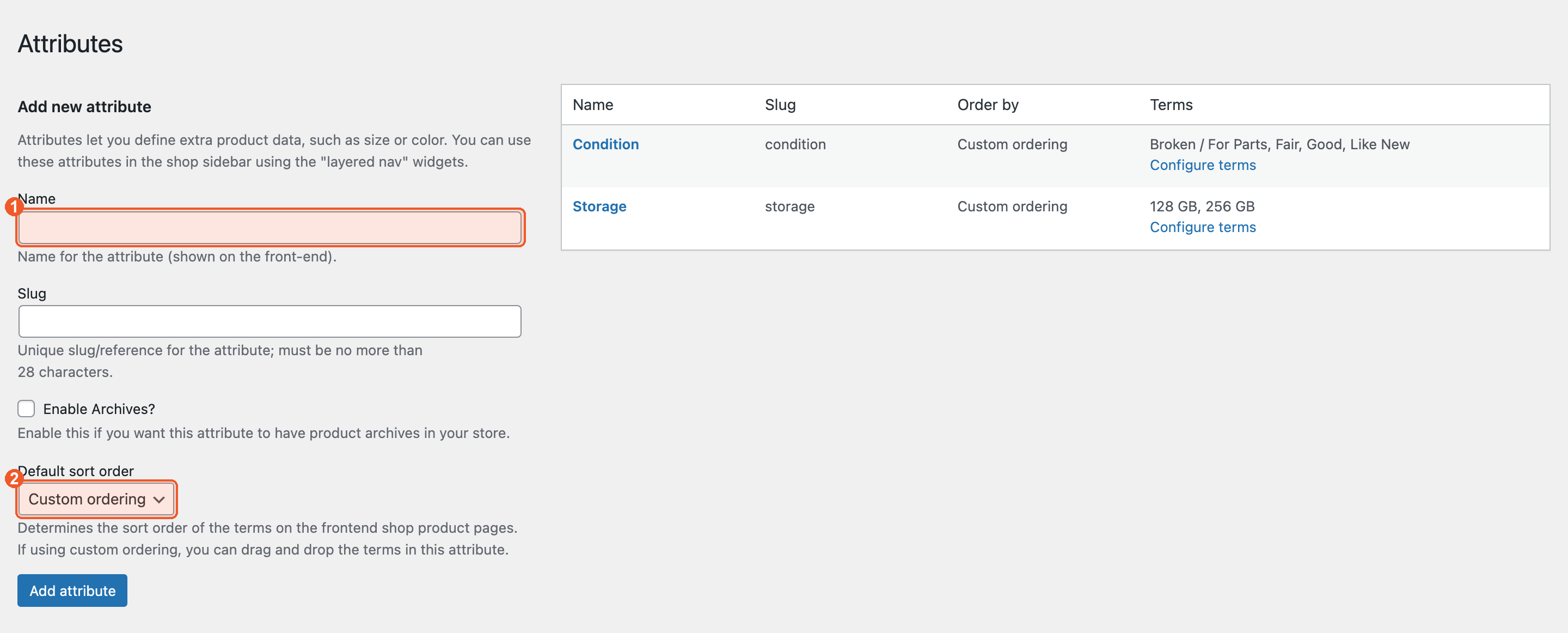
Attributes define the variations of each product — condition, carrier, storage, etc. Navigate to Products → Attributes.
Creating an Attribute#
Enter the attribute name (1) — for example "Condition" — leave the slug blank to have it generated, choose a Default sort order (2), and click Add attribute.
Adding Attribute Terms#
Click Configure terms beside an attribute to add its values. Each term becomes one option a customer can pick — and one variation you set a payout price on.
Example: Condition#
Terms: Brand New, Like New, Good, Fair, Poor/Broken
Example: Carrier#
Terms: Unlocked, AT&T, T-Mobile, Verizon
Each combination creates a variation with its own buyback price. Example: iPhone 14 / Unlocked / Good = $350.