
EasyPost Setup
Set up EasyPost for automatic shipping label generation.
Sign Up for EasyPost#
To enable automatic shipping label generation, sign up for a free account at easypost.com.
EasyPost provides access to discounted USPS, UPS, FedEx, DHL, and more through a single API.
Get Your API Keys#
After signing up, sign in to your EasyPost dashboard.
Click your account name, then API Keys. Copy both your Production and Test keys.
Test vs Production keys: Test keys (starting with EZTK) create test labels that are not charged. Production keys create real, billable labels. Use Test mode while setting up.
Set Up Carriers#
In your EasyPost dashboard, enable carriers under Carrier Accounts. USPS is available by default. To add UPS, FedEx, or others, follow EasyPost carrier setup instructions.
Add API Key to Plugin#
Navigate to the Gyta Buyback → EasyPost tab. Paste your key into API Key and save.
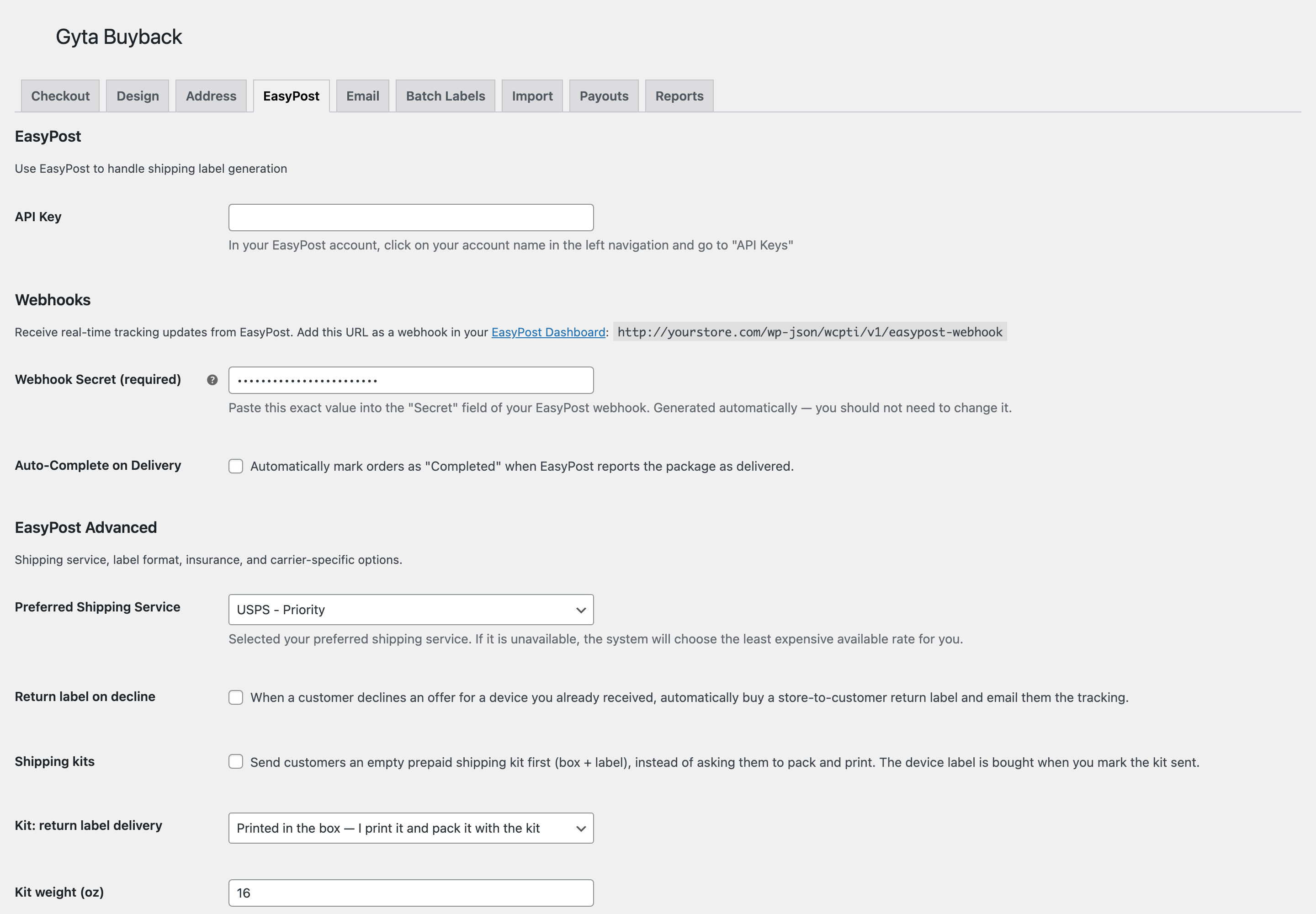
The same tab holds the webhook URL to paste into EasyPost (which is what auto-completes orders on delivery) and, under EasyPost Advanced, the preferred carrier service, return-label-on-decline, and shipping-kit options.
The plugin automatically detects whether you are using a test or production key and displays the current mode.
Next Steps#
With EasyPost connected, prepaid labels are generated automatically:
- See how labels are created and formatted in EasyPost Shipping.
- Turn on real-time tracking and auto-complete on delivery with Webhooks.