
Order Management
Manage the full lifecycle of trade-in orders.
Order Management#
Navigate to WooCommerce → Orders and open an order to view and manage a trade-in.
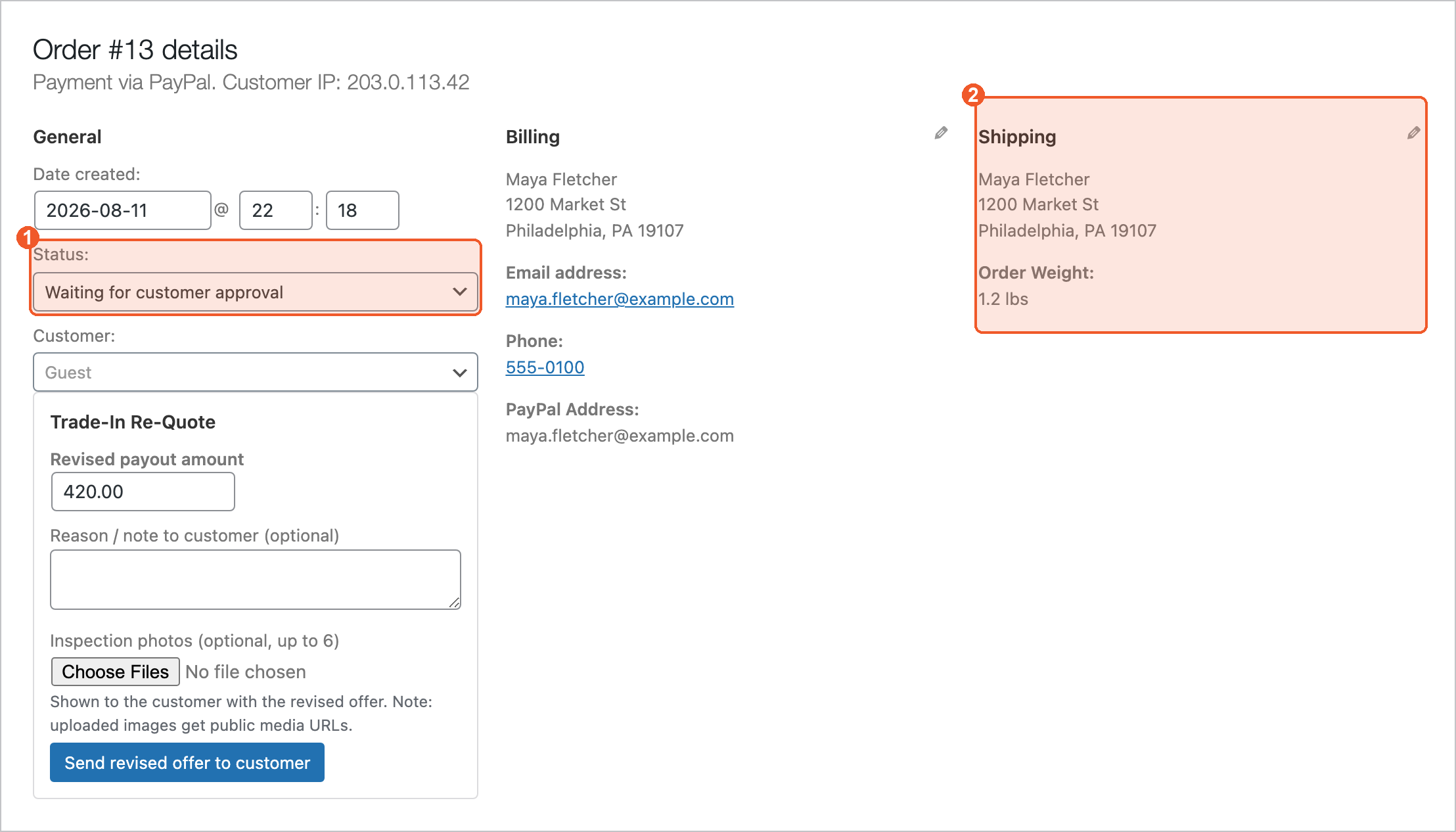
The order status (1) drives the whole flow, and the address block (2) is where the device is coming from. Below the status you get the Gyta panels for that order — here, the re-quote form for sending a revised offer.
Order Status Flow#
| Status | Meaning | Customer Email |
|---|---|---|
| On Hold | New order — waiting for customer to ship product | Order Created (with label) |
| Kit sent | A prepaid shipping kit has been sent to the customer (when kits are enabled) | Kit on its way |
| Processing | Product received — reviewing condition | Order Received |
| Waiting for customer approval | You revised the offer after inspection and sent it to the customer | Revised offer |
| Customer approved | The customer accepted the revised offer — pay out and complete | — |
| Customer disapproved | The customer declined. Return the device (a return label can be bought automatically) | — |
| Completed | Payment sent to customer | Order Completed |
| Cancelled | Order cancelled | Order Cancelled |
Order Actions#
- Send "Order Created" Email — Re-send order email with shipping label.
- Send "Order Received" Email — Notify customer you received their items.
- Send "Order Completed" Email — Notify customer payment was sent.
- Send "Payment Pending Approval" Email — Approval request if enabled.
Edit Order Line Items#
While the order is in "On Hold" status, click the pencil icon to modify line items — adjust price or quantity if condition does not match.
You can only edit line items while the order is in On Hold status. Once changed to Processing or Completed, items are locked.
Shipping Label & Tracking#
When a label is created, the order notes show a clickable link to download/print the label, plus tracking number and rate information.
Related#
- EasyPost Shipping — how prepaid labels are generated.
- Batch Labels — create labels in bulk and print scan forms (PRO).
- Webhooks — auto-complete orders when the device is delivered.